Abona
Abona Shop 🛍️
A full-stack e-commerce web application built for the Thai market. Rose × deep plum brand identity, JWT-based authentication, Stripe payments, and a complete admin panel.
Author: Hermann N’zi Ngenda
Live Site: https://abona-3ve.pages.dev
Screenshots
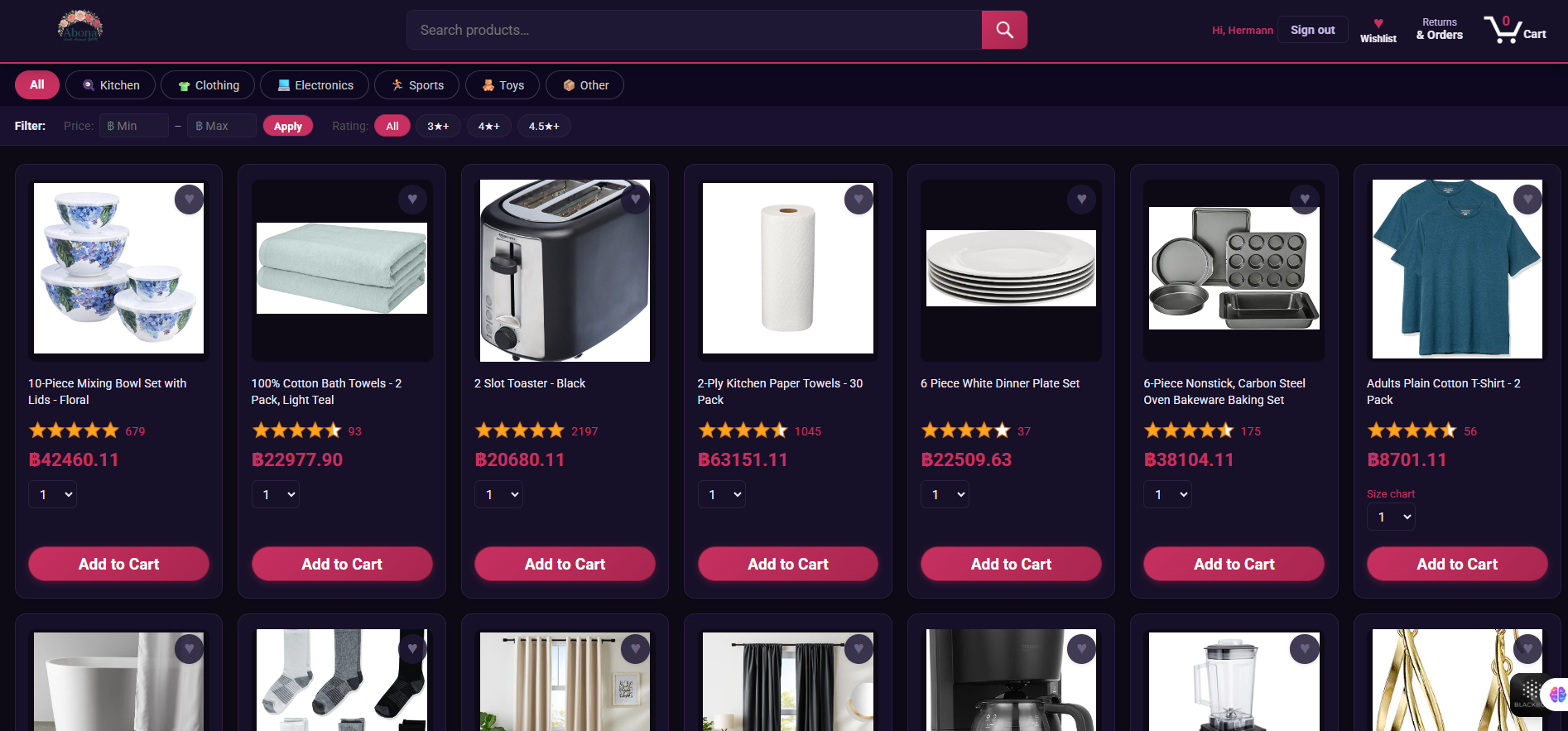
Homepage
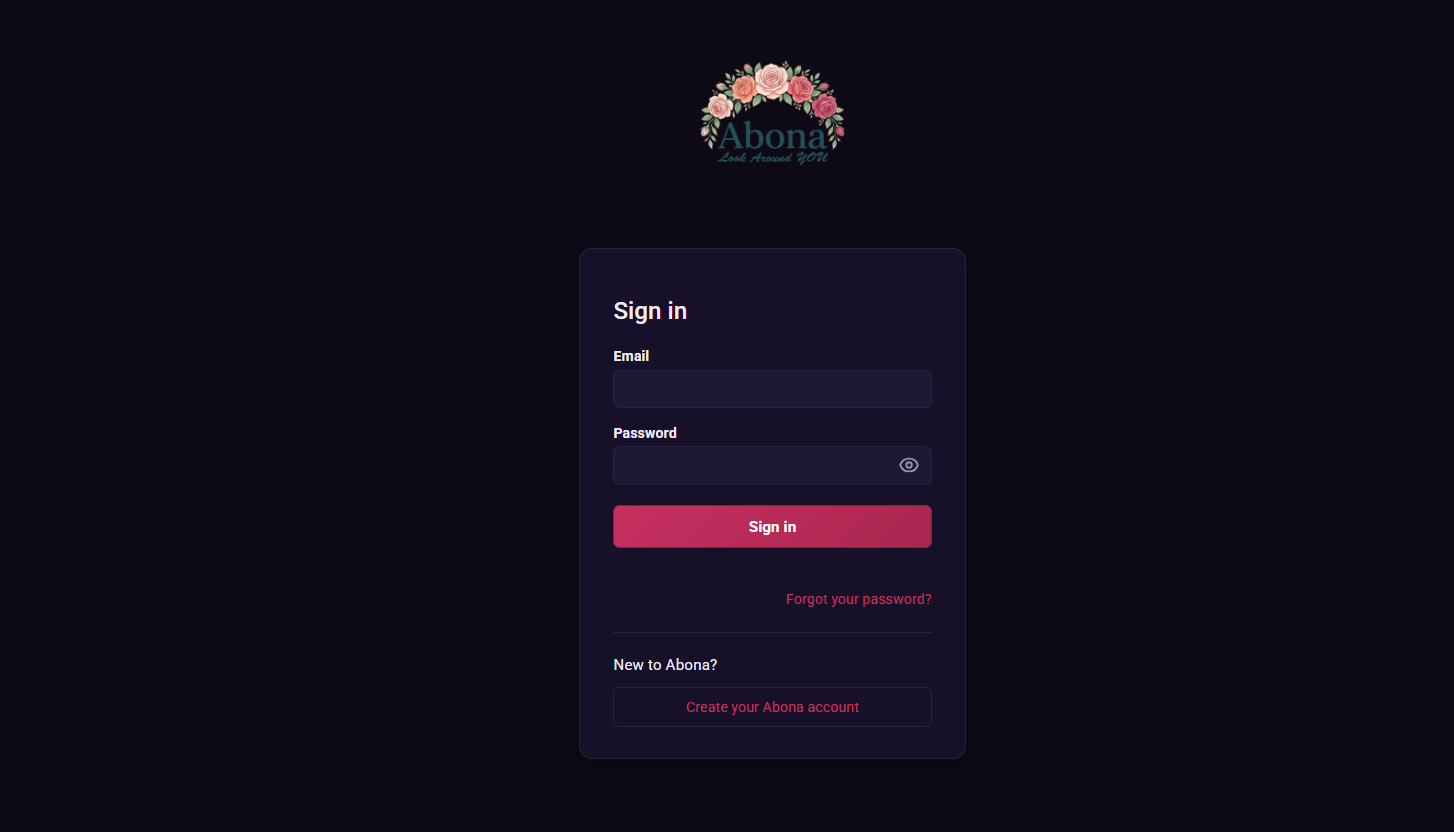
Login
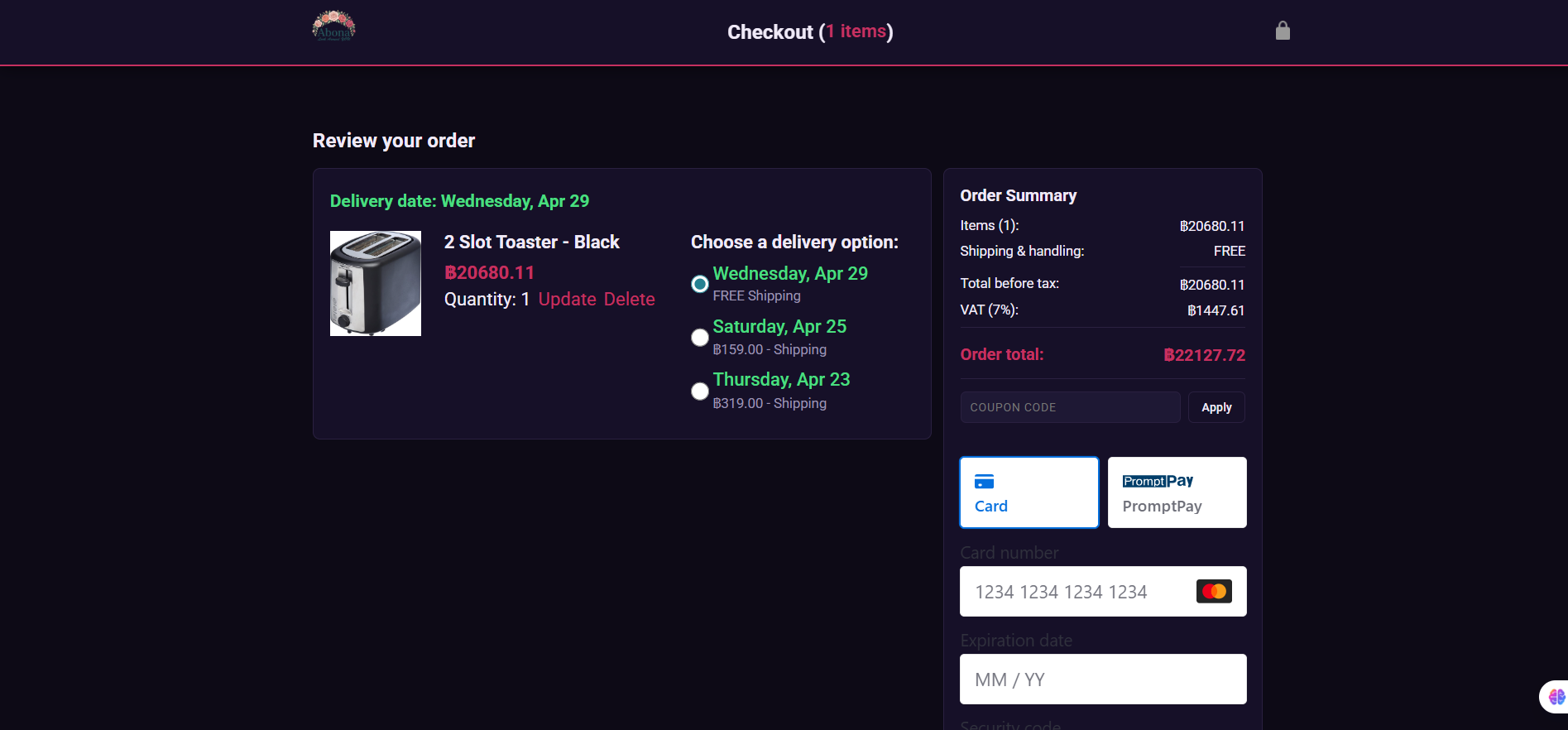
Checkout & Payment
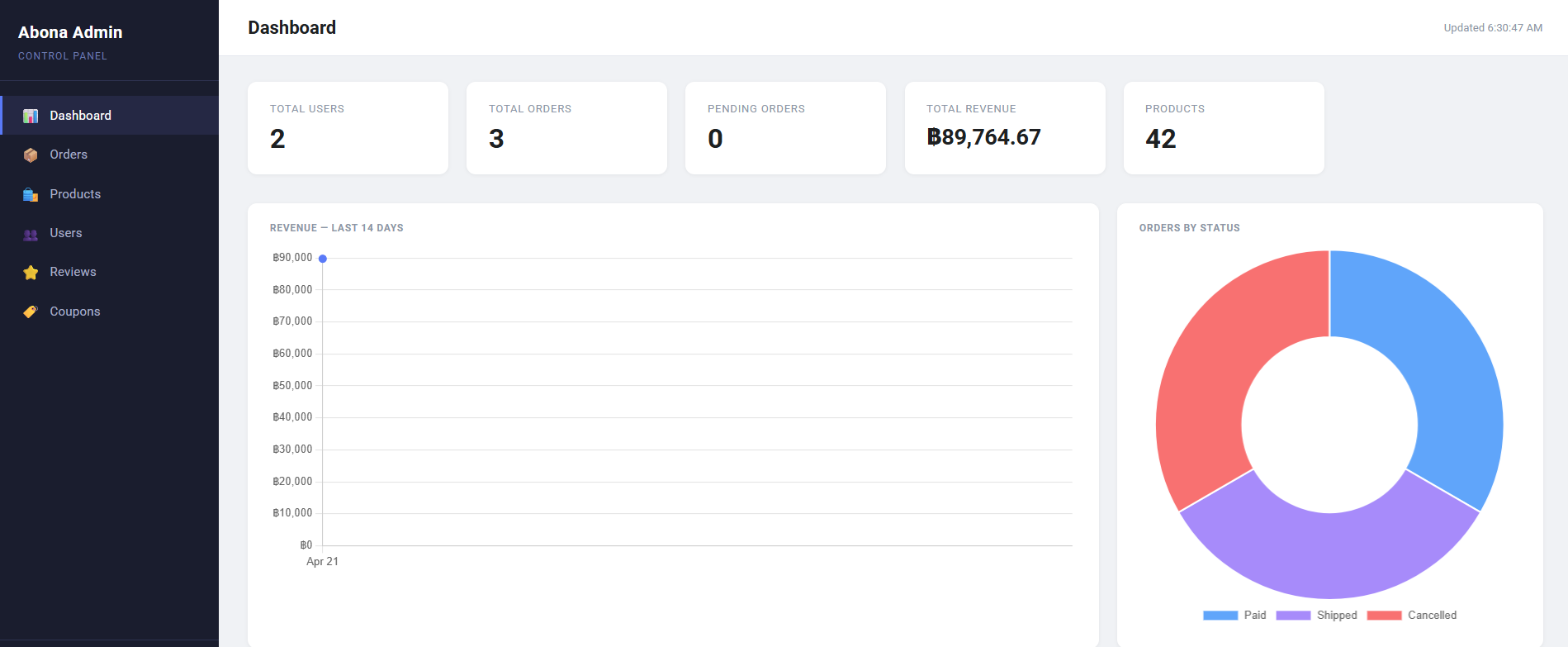
Admin Dashboard
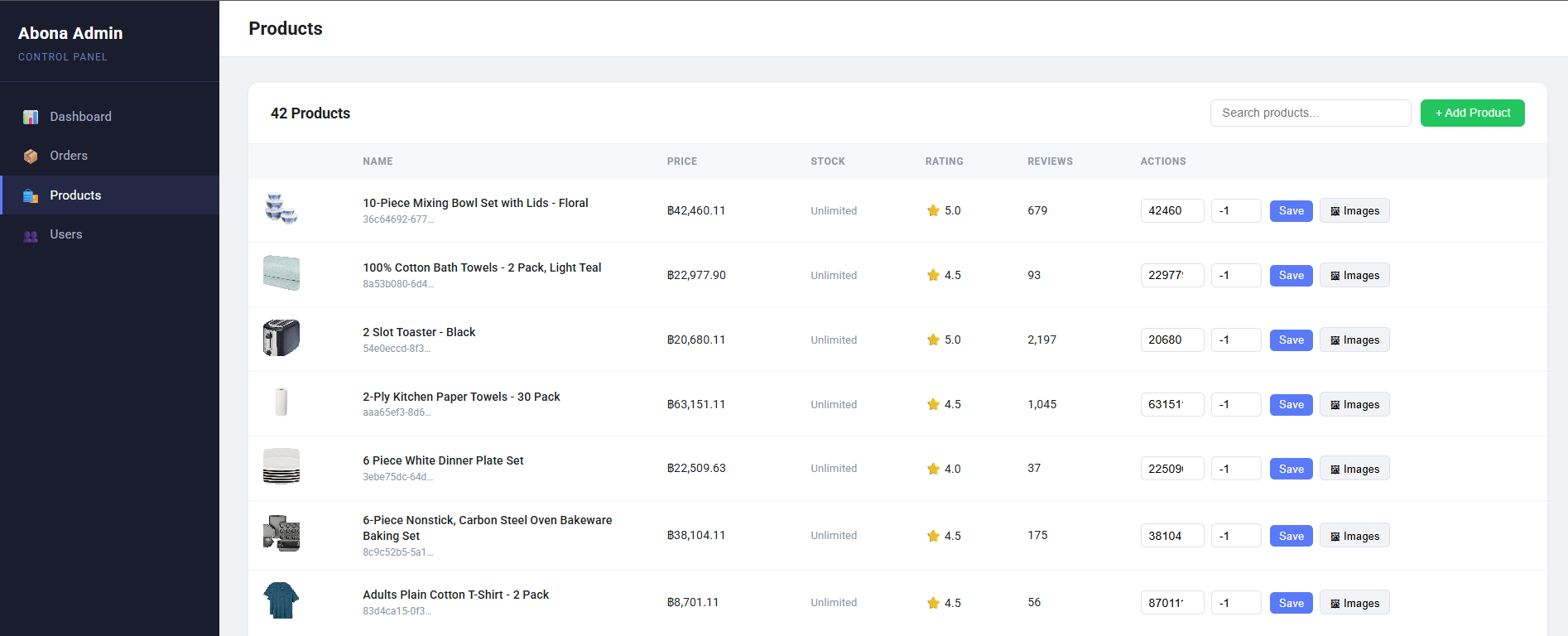
Admin Products
Project Structure
Abona/
├── frontend/                   # All client-side code
│   ├── index.html              # Main shop page
│   ├── login.html
│   ├── register.html
│   ├── forgot-password.html
│   ├── reset-password.html
│   ├── checkout.html
│   ├── orders.html
│   ├── tracking.html
│   ├── product.html
│   ├── wishlist.html
│   ├── settings.html
│   ├── images/                 # Product images, logos, icons
│   ├── styles/
│   │   ├── shared/             # general.css, amazon-header.css
│   │   └── pages/              # Per-page stylesheets
│   ├── scripts/
│   │   ├── amazon.js           # Homepage product grid + filters
│   │   ├── auth.js             # Auth state, header rendering
│   │   ├── checkout.js         # Checkout page entry
│   │   ├── checkout/
│   │   │   ├── orderSummary.js
│   │   │   └── paymentSummary.js
│   │   └── utils/
│   │       ├── api.js          # API_BASE constant
│   │       ├── money.js        # formatCurrency helper
│   │       └── darkmode.js
│   └── data/
│       ├── cart.js             # Cart state + API calls
│       └── deliveryOptions.js
│
├── backend/                    # Node.js / Express API
│   ├── server.js               # App entry point
│   ├── .env                    # Environment variables (not committed)
│   ├── routes/
│   │   ├── auth.js
│   │   ├── products.js
│   │   ├── cart.js
│   │   ├── orders.js
│   │   ├── payment.js
│   │   ├── reviews.js
│   │   ├── wishlist.js
│   │   ├── coupons.js
│   │   ├── users.js
│   │   ├── uploads.js
│   │   └── admin.js
│   ├── middleware/
│   │   └── auth.js             # JWT verification middleware
│   ├── db/
│   │   ├── connection.js       # MySQL pool
│   │   ├── schema.sql          # Full database schema + triggers
│   │   └── seed.js             # Sample data seeder
│   ├── utils/
│   │   └── email.js            # Brevo HTTP API email templates
│   └── admin/                  # Admin panel HTML + assets
│
├── tests/                      # Jasmine unit tests
└── README.md
Quick Start (Local Development)
Prerequisites
| Tool | Version |
|---|---|
| Node.js | 18+ |
| MySQL / MariaDB | 8.0+ (XAMPP works) |
| VS Code + Live Server | Any |
1 — Database
mysql -u root -p < backend/db/schema.sql
2 — Backend
cd backend
cp .env.example .env
npm install
npm start                   # http://localhost:3000
3 — Frontend
Open frontend/index.html with VS Code Live Server (configured via .vscode/settings.json to serve from frontend/).
Site runs at http://127.0.0.1:5500. Make sure CLIENT_ORIGIN=http://127.0.0.1:5500 in .env.
Environment Variables
PORT=3000

# MySQL
DB_HOST=localhost
DB_PORT=3306
DB_USER=root
DB_PASSWORD=your_password
DB_NAME=abona_shop

# JWT
JWT_SECRET=long_random_string
JWT_ADMIN_SECRET=different_long_random_string

# Arcjet
ARCJET_KEY=ajkey_...
ARCJET_ENV=development

# CORS
CLIENT_ORIGIN=http://127.0.0.1:5500

# Stripe
STRIPE_SECRET_KEY=sk_test_...
STRIPE_PUBLISHABLE_KEY=pk_test_...

# Brevo (email)
BREVO_API_KEY=xkeysib_...
BREVO_SENDER_EMAIL=you@gmail.com
ADMIN_EMAIL=admin@yourdomain.com
Deployment
Overview
┌─────────────────────┐     HTTPS      ┌─────────────────────┐
│  Cloudflare Pages   │ ─────────────► │   Render Backend    │
│  (Frontend)         │                │   (Express API)     │
└─────────────────────┘                └──────────┬──────────┘
                                                  │ SSL
                                       ┌──────────▼──────────┐
                                       │    Aiven MySQL      │
                                       │    (Database)       │
                                       └─────────────────────┘
Step 1 — Aiven MySQL (Database)
- Sign up at aiven.io → Create Service → MySQL → Free plan
- Once running, click your service → Overview tab → copy:
- Host, Port, User, Password, Database name
- Download the CA Certificate (required for SSL)
- Upload your schema:
mysql --ssl-ca=ca.pem -h your-host -P port -u user -p dbname < backend/db/schema.sql - Update your Render environment variables with these DB credentials (see Step 2)
Step 2 — Render (Backend)
- Push your repo to GitHub
- Go to render.com → New Web Service
- Connect your GitHub repo
- Settings:
- Root directory:
backend - Build command:
npm install - Start command:
node server.js - Environment: Node
- Root directory:
- Add all environment variables in the Render dashboard:
PORT=3000
DB_HOST=your-aiven-host
DB_PORT=your-aiven-port
DB_USER=your-aiven-user
DB_PASSWORD=your-aiven-password
DB_NAME=defaultdb
DB_SSL=true
JWT_SECRET=...
JWT_ADMIN_SECRET=...
ARCJET_KEY=...
ARCJET_ENV=production
CLIENT_ORIGIN=https://your-project.pages.dev
STRIPE_SECRET_KEY=sk_live_...
STRIPE_PUBLISHABLE_KEY=pk_live_...
BREVO_API_KEY=...
BREVO_SENDER_EMAIL=...
ADMIN_EMAIL=...
- Deploy — your backend will be live at
https://abona-backend.onrender.com
Step 3 — Cloudflare Pages (Frontend)
- Go to pages.cloudflare.com → Create a project
- Connect your GitHub repo
- Settings:
- Root directory:
frontend - Build command: (leave empty — static site)
- Output directory:
.(dot)
- Root directory:
- Before deploying, update
frontend/scripts/utils/api.js:export const API_BASE = 'https://abona-backend.onrender.com'; - Deploy — your frontend will be at
https://abona.pages.dev - Go back to Render → update
CLIENT_ORIGIN=https://abona.pages.dev
Step 4 — SSL for Aiven (backend connection)
Add SSL support to backend/db/connection.js:
ssl: process.env.DB_SSL === 'true' ? { rejectUnauthorized: true } : false
Custom Domain (optional)
In Cloudflare Pages → Custom Domains → add abona-shop.com.
DNS is managed automatically since you’re already on Cloudflare.
How It Works
Authentication Flow
Browser                          Backend                        Database
  │                                 │                               │
  ├─── POST /api/auth/register ────►│                               │
  │    { name, email, password }    │── bcrypt.hash(password) ─────►│
  │                                 │── INSERT INTO users ──────────►│
  │                                 │◄──────────────────────────────┤
  │◄── Set-Cookie: token (JWT) ─────┤                               │
  │                                 │                               │
  ├─── GET /api/auth/me ───────────►│── jwt.verify(cookie) ────────►│
  │◄── { user } ────────────────────┤                               │
- Passwords hashed with bcryptjs (10 rounds)
- Sessions stored as httpOnly cookies — XSS safe
- JWT payload:
{ id, email, name, role }, expires 7 days - Every protected route passes through
verifyTokenmiddleware
Cart & Orders
Add to Cart ──► POST /api/cart
Checkout    ──► POST /api/payment/create-intent  (Stripe PaymentIntent)
            ──► stripe.confirmPayment()
            ──► POST /api/orders  (saves order, clears cart)
Email Notifications
Event                        Customer          Admin
─────────────────────────────────────────────────────
Order placed                 ✅ Confirmation   ✅ Alert
Order paid (admin)           ✅ Notification   —
Order shipped (admin)        ✅ Notification   —
Order delivered (admin)      ✅ Notification   —
Order cancelled by customer  —                ✅ Alert
Order cancelled by admin     ✅ Notification   —
Low stock after order        —                ✅ Alert
Password reset               ✅ Reset link     —
Dark Mode
<script>
  if (localStorage.getItem('darkMode') === 'true')
    document.documentElement.classList.add('dark');
</script>
Runs before CSS loads — prevents flash of unstyled content.
Database
Schema Overview
users ──────────────────────────────────────────────────────────┐
  │                                                              │
  ├── sessions          (multi-device login tracking)           │
  ├── addresses         (saved shipping addresses)              │
  ├── cart_items ──────── products ──── product_images          │
  ├── wishlists                    └─── product_variants        │
  │     └── wishlist_items         └─── product_categories      │
  ├── reviews                           └── categories          │
  └── orders ─────────────────────────────────────────────────► │
        ├── order_items                                          │
        ├── order_status_logs                                    │
        └── payments                                            │
                                                                │
coupons ── coupon_uses ─────────────────────────────────────────┘
password_resets
Key Tables
| Table | Purpose |
|---|---|
users |
Account data, role (user/admin) |
products |
Catalog with denormalised star rating |
product_variants |
Size/color SKUs with individual stock |
cart_items |
Per-user persistent cart |
orders |
Order header with frozen shipping snapshot |
order_items |
Line items with product data snapshot |
payments |
Stripe PaymentIntent records |
coupons |
Discount codes (percentage or fixed) |
reviews |
One review per user per product |
password_resets |
Secure tokens for password reset (1hr expiry) |
Important Queries
Fetch cart:
SELECT c.*, p.name, p.image, p.price_cents
FROM cart_items c
JOIN products p ON c.product_id = p.id
WHERE c.user_id = ?
Place an order (transaction):
BEGIN;
  INSERT INTO orders (...) VALUES (...);
  INSERT INTO order_items (...) VALUES (...);
  UPDATE products SET stock = stock - ? WHERE id = ?;
  DELETE FROM cart_items WHERE user_id = ?;
COMMIT;
Rating trigger (auto on review change):
UPDATE products
SET stars        = (SELECT ROUND(AVG(stars), 2) FROM reviews
                    WHERE product_id = NEW.product_id AND is_approved = TRUE),
    rating_count = (SELECT COUNT(*) FROM reviews
                    WHERE product_id = NEW.product_id AND is_approved = TRUE)
WHERE id = NEW.product_id;
Validate coupon:
SELECT * FROM coupons
WHERE code = ?
  AND is_active = TRUE
  AND (expires_at IS NULL OR expires_at >= NOW())
  AND (max_uses IS NULL OR uses_count < max_uses)
Arcjet — Security Layer
Incoming Request
      │
      ▼
  ┌─────────────────────────────┐
  │         Arcjet Shield        │  ← blocks bots, scrapers, attack patterns
  ├─────────────────────────────┤
  │      Sliding Window         │  ← rate limiting per IP
  │   (10 req/hr on register,   │
  │    10 req/15min on login,   │
  │    3 req/15min on reset)    │
  ├─────────────────────────────┤
  │     Email Validation        │  ← rejects disposable / invalid emails
  └─────────────────────────────┘
      │
      ▼
  Route Handler
Stripe — Payment Flow
Frontend                    Backend                      Stripe
   │                           │                            │
   ├── GET /api/config ────────►│                            │
   │◄── { publishableKey } ─────┤                            │
   │                           │                            │
   ├── POST /api/payment/      │                            │
   │   create-intent ──────────►│── paymentIntents.create() ►│
   │                           │◄── { client_secret } ───────┤
   │◄── { clientSecret } ───────┤                            │
   │                           │                            │
   │  stripe.confirmPayment()  │                            │
   ├───────────────────────────┼────────────────────────────►│
   │◄── status: succeeded ──────┼────────────────────────────┤
   │                           │                            │
   ├── POST /api/orders ───────►│── saves order to DB         │
   │◄── { orderId } ────────────┤                            │
- Currency: THB (Thai Baht), amounts in satang (×100)
- Uses Stripe Payment Element — cards, wallets, local methods
return_urlhandles 3D Secure redirects
API Endpoints
| Method | Endpoint | Auth | Description |
|---|---|---|---|
| POST | /api/auth/register |
✗ | Create account |
| POST | /api/auth/login |
✗ | Sign in, set cookie |
| POST | /api/auth/logout |
✗ | Clear cookie |
| GET | /api/auth/me |
Cookie | Get current user |
| POST | /api/auth/forgot-password |
✗ | Send reset email |
| POST | /api/auth/reset-password |
✗ | Set new password |
| GET | /api/products |
✗ | List all products |
| GET | /api/products/:id |
✗ | Single product |
| GET | /api/cart |
✓ | Get user cart |
| POST | /api/cart |
✓ | Add item |
| PATCH | /api/cart/:id |
✓ | Update qty / delivery |
| DELETE | /api/cart/:id |
✓ | Remove item |
| GET | /api/orders |
✓ | Order history |
| POST | /api/orders |
✓ | Place order |
| GET | /api/orders/:id |
✓ | Single order |
| PATCH | /api/orders/:id/cancel |
✓ | Cancel order |
| POST | /api/payment/create-intent |
✓ | Stripe PaymentIntent |
| GET | /api/wishlist |
✓ | Get wishlist |
| POST | /api/wishlist/:id |
✓ | Add to wishlist |
| DELETE | /api/wishlist/:id |
✓ | Remove from wishlist |
| POST | /api/coupons/validate |
✓ | Validate coupon |
| GET | /api/reviews/:productId |
✗ | Product reviews |
| POST | /api/reviews/:productId |
✓ | Submit review |
Admin Panel
Local: http://localhost:3000/admin/login
Production: https://abona-backend.onrender.com/admin/login
Protected by JWT_ADMIN_SECRET. Features:
- Dashboard with sales overview
- Product management (add / edit / delete)
- Order management + status updates (triggers customer emails)
- Coupon creation and tracking
- User management
- Review moderation
Tech Stack
| Layer | Technology |
|---|---|
| Frontend | Vanilla HTML, CSS, ES Modules |
| Backend | Node.js, Express.js |
| Database | MySQL / MariaDB |
| Auth | JWT (httpOnly cookies) + bcryptjs |
| Payments | Stripe (Payment Element) |
| Security | Arcjet (shield + rate limit + email validation) |
| Brevo HTTP API | |
| Hosting — Frontend | Cloudflare Pages |
| Hosting — Backend | Render |
| Hosting — Database | Aiven MySQL |
Built by Hermann N’zi Ngenda